
Google Ads Campaign Setup: What Businesses Often Miss
Most businesses set up their first Google Ads campaign, pick a few keywords, set a budget, and wait. Then the ads go live, the money starts moving, but the results just don't add up.
The truth is, Google Ads rewards the details. The campaign decisions you make in the first hour of setup quietly guide everything that follows, including how often your ads show and how much each click actually costs you.
This guide walks through the setup steps that most businesses get wrong, and what to do instead. Let’s look into how Google Ads work first.
Google Ads: How It Works Before You Spend a Dollar
Google Ads is one of the most widely used online advertising platforms in the world. At its core, it works on a cost per click model, meaning your account gets charged only when someone clicks your ad. You set a bid, Google runs an auction, and your ads compete for placement across Google search results and partner sites.
Three things that decide if your ad will show up are: your bid, your Quality Score, and how relevant your ad is to what someone searched. Here, Quality Score is Google's way of measuring how well your keywords, ads, and landing pages work together.
One thing new Google Ads users often miss is that a higher bid doesn't always win. A well-structured account with strong relevance can outperform bigger budgets.
Your First Google Ads Campaign: Settings Most Businesses Rush Past
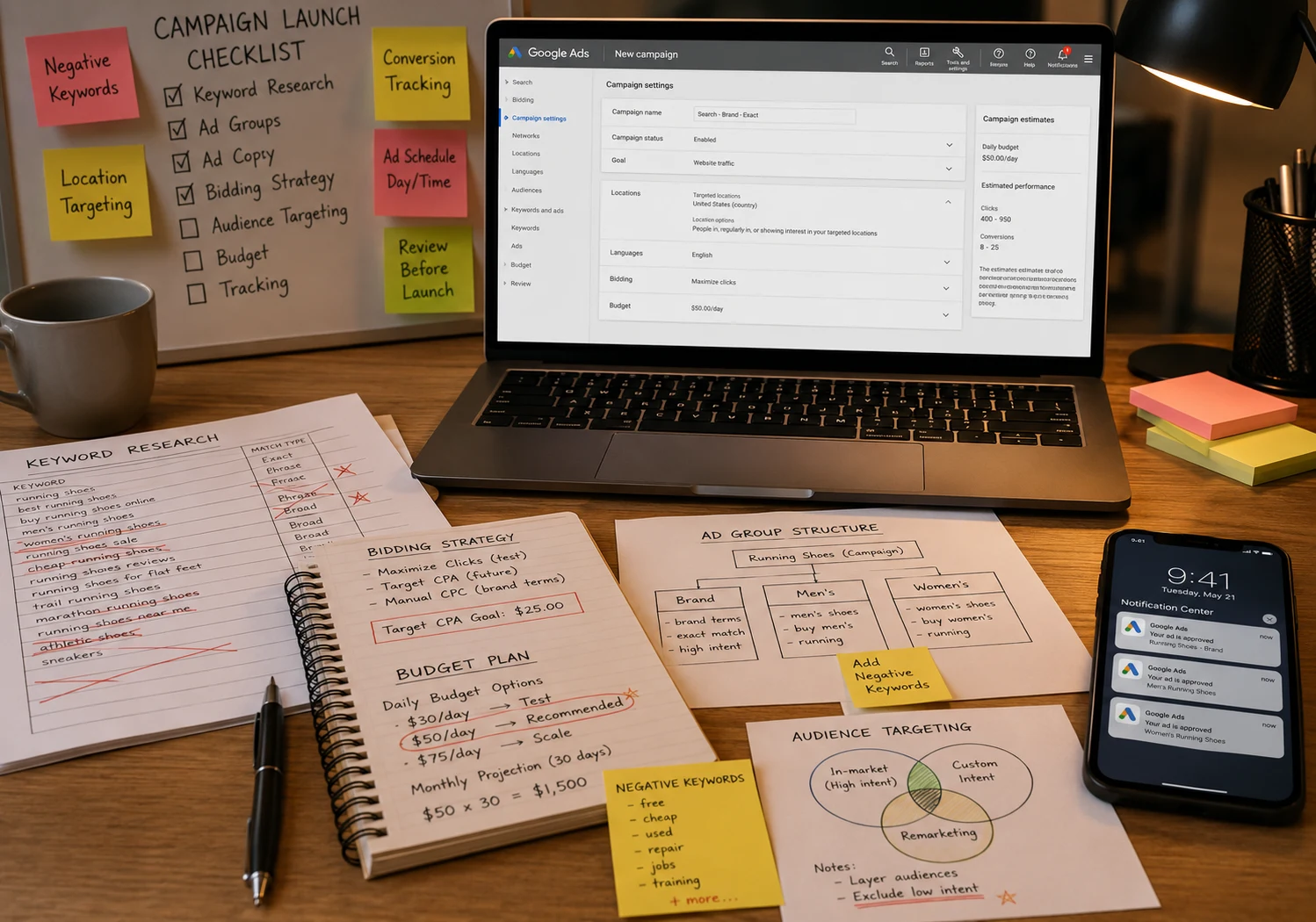
The good news is that fixing your campaign settings early is one of the fastest ways to stop wasting ad spend. But most first Google Ads users treat the setup screen like a formality, clicking through without reading what each setting controls.
Your first campaign has more moving parts than it looks. The objective you pick tells Google what to optimize for, so choosing the wrong one means the algorithm works against your budget from day one.
I’ve found that the biggest budget leaks rarely come from bad ad copy; they come from overlooked configurations (like hidden network opt-ins) hidden deep in the initial setup. To protect your investment, you need to disable the specific campaign settings that quietly drain your budget.
Campaign Settings That Quietly Drain Your Budget
Default campaign settings feel harmless until you realize they've been spending your budget on placements that were never going to convert.
If you want to keep your budget focused on high-intent searchers, these are the two default settings you need to uncheck.
- Search Partners are enabled by default, meaning your search ads can show up on non-Google search sites. For many businesses, this drives low-quality clicks that rarely generate conversions.
- Display Ads get mixed into search campaigns automatically unless you turn them off. Search and display audiences behave differently, and combining them usually hurts your search campaign performance.
Your daily budget sounds straightforward, but Google can spend up to twice that amount on high-traffic days. If you're not aware of this, it can throw off your monthly spend fast.
Now that your campaign settings are dialed in, how you organize your ad groups will determine whether your ads reach the right people.
Ad Groups: Are You Grouping Your Ads the Right Way?
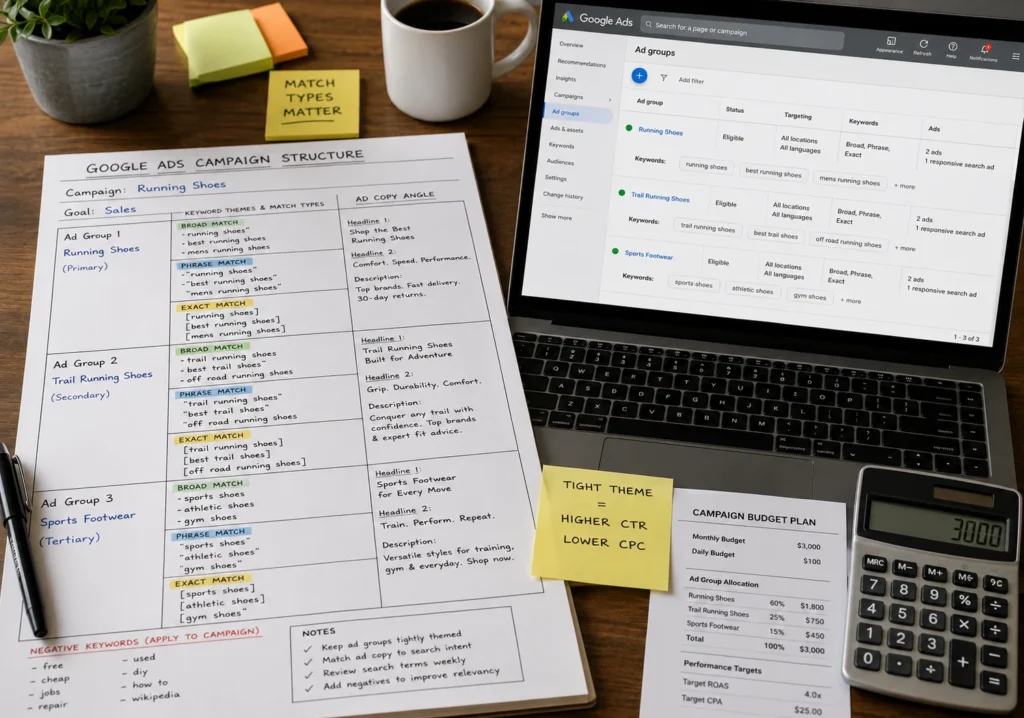
Ad groups are where your keywords and ads live together, and poor campaign structure means your ads show for searches that aren't a great fit. Each ad group should cover one tight theme.
How you organize these themes is important, but the true steering wheel of your campaign structure is how you control your keyword match types. Mixing broad match, phrase match, and exact match keywords without a clear plan is one of the fastest ways to lose control of where your budget goes.
Audience Signals and Bid Adjustments: Why These Two Settings Matter

Audience signals tell Google who your potential customers are, giving the algorithm a head start instead of learning from scratch. For e-commerce businesses, this alone can speed up how quickly a new campaign finds its footing.
Here's what most new Google Ads users skip entirely:
- Audience Signals: these pull from custom audience lists, site visitors, and customer match data. The more specific your signals, the sharper Google gets at finding the right people.
- Bid Adjustments: It lets you spend more on high-value users and pull back on audiences that rarely convert, so your ad spend goes where it should go.
By layering these audience signals and bid adjustments together, you turn your campaigns from passive broad-net casting into highly targeted operations.
How Bid Adjustments Shape Your Google Search Results
Getting bid adjustments right means your budget works harder in the moments where your potential customers are most likely to convert. Manual bidding lets you fine-tune every adjustment yourself, while automatic bidding lets Google optimize in real time based on campaign performance.
Regardless of bidding strategy, you still need a way to tell the system where your highest-value users are. Here, device, location, and ad schedule adjustments are the most practical places to start. If mobile devices drive most of your leads, raise bids for mobile and lower them for desktop.
What a Useful Google Ads Account Actually Looks Like
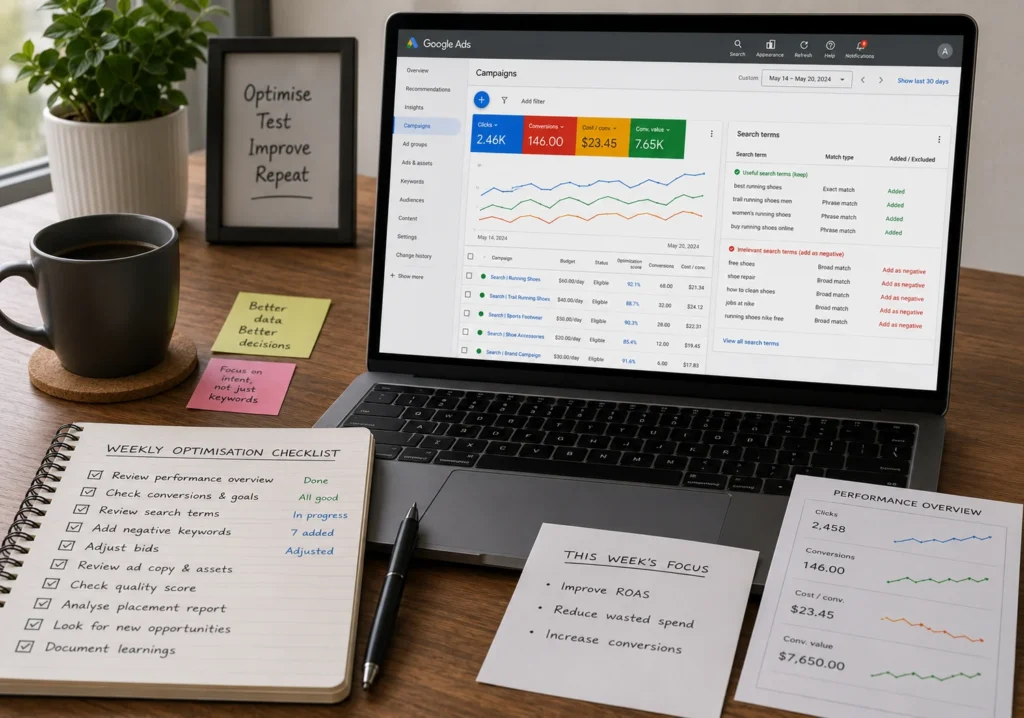
A strong Google Ads account starts with a clean campaign structure, tightly themed ad groups, and conversion tracking in place from day one. Without those three things, you're mostly guessing.
The search terms report tells you exactly what people typed into Google search before clicking your ads. That's where you find chances to add negative keywords and stop paying for clicks that were never going to convert.
Businesses that grow with Google Ads check their account weekly, rather than when something looks off. They adjust bids, learn from existing campaigns, and keep optimizing. That habit is what separates accounts that scale from ones that stall.
Let's Build Your Google Ads Campaign Together
Setting up Google Ads the right way from the start saves you time, budget, and a lot of trial and error. The campaign settings, ad groups, and bid adjustments covered in this Google Ads setup guide are where most businesses lose money.
Here, the good news is that none of this is out of reach. With the right campaign structure and a clear plan, your ads can start pulling in new customers and more leads than your expectation.
If you're ready to create a Google Ads campaign that's built to perform, we'd love to help. Reach out to the Oikos Project team and let's get started.
Comments are closed.