
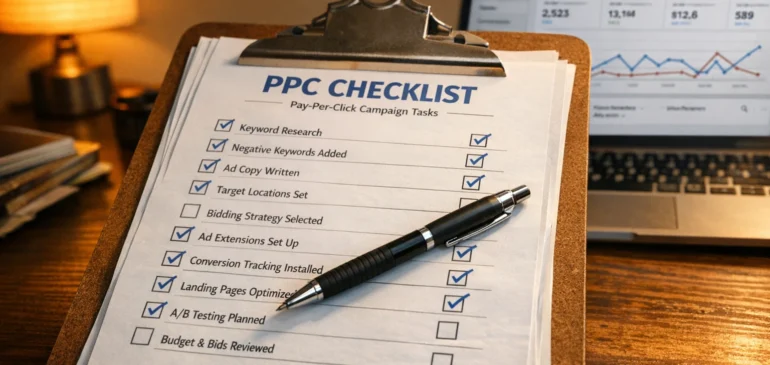
PPC Campaign Setup Checklist: From First Click to First Conversion
Launching a PPC campaign sounds simple: pick a few keywords, write an ad, and wait for clicks. Yet many campaigns burn through budget quickly because small setup mistakes prevent those clicks from turning into real leads or sales.
The problem usually isn't the platform itself. Most underperforming campaigns come down to missing a few key steps, from unclear targeting to weak landing pages or incomplete tracking.
This PPC checklist walks you through the setup process from start to finish. You'll learn how to target the right audience, research keywords that convert, and write compelling ad copy. It also shows how to track results so you can move from the first click to the first conversion.
Keep reading to learn more.
Target Audience Settings: Define Who Should See Your Ads
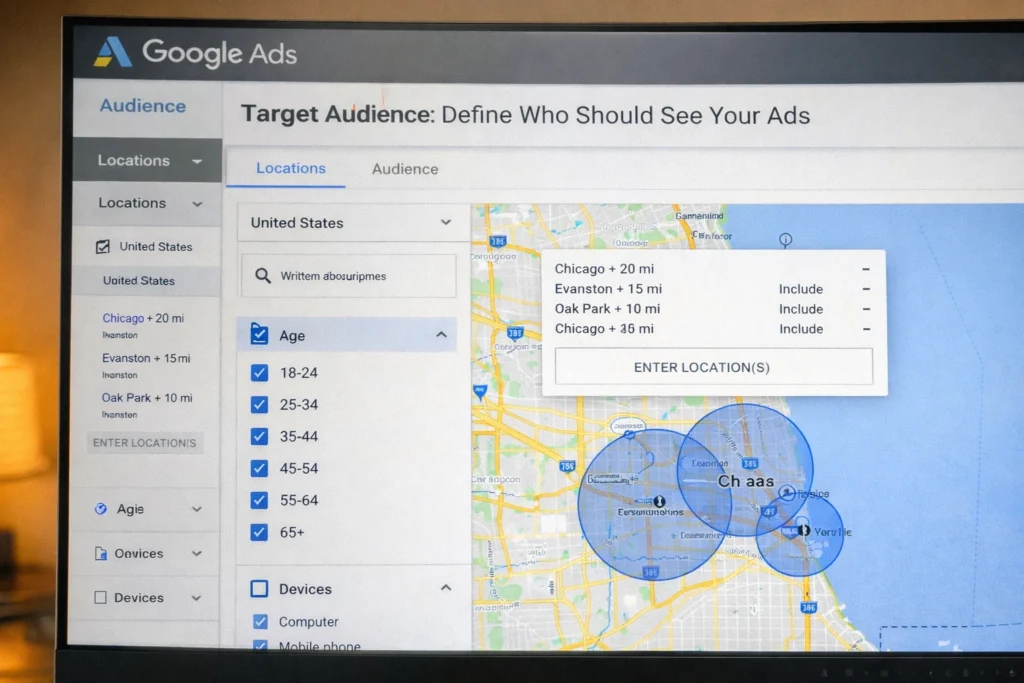
Google Ads gives you five main filters to control who sees your ads: location, device type, age, gender, and audience interests. Setting these correctly before launch stops you from paying for clicks from people who can't or won't buy from you. Here's how to use each one.
- Set Geographic Boundaries: Your first step should be setting location boundaries. If you run a local business in Chicago, someone in Los Angeles can't use your service even if they click. To avoid paying for these useless clicks, target by country, state, city, or radius so your budget focuses on potential customers who can actually convert.
- Adjust Bids by Device: Device settings let you control bids based on where traffic performs best. If your landing page loads slowly on mobile devices, lowering mobile bids prevents wasted spend.
- Filter by Age and Gender: Age and gender targeting help narrow your audience so ads reach people more likely to convert. For example, a retirement planning service should prioritize older age ranges instead of including younger users who're unlikely to need retirement advice.
- Add Audience Interests and Behaviors: Once your basic filters are set, Google Ads allows another layer through audience segmentation. Custom audiences can target users who searched for competitors or visited relevant websites, helping you reach people who already showed interest in what you offer.
- Refine Targeting for Better Performance: Precise audience filters make your ads more relevant to the people who see them. This can improve your Quality Score in Google Ads, which often lowers your cost per click.
With your audience defined, the next step is finding the keywords that will put your ads in front of them.
How to Research Keywords for Your PPC Campaign
Keyword research means finding search terms that balance three factors: enough volume to generate traffic, low enough competition to stay affordable, and clear buying intent. Start by listing a few basic terms related to your product or service, then use keyword tools to evaluate all three at once.
Find Keywords That Match What People Search
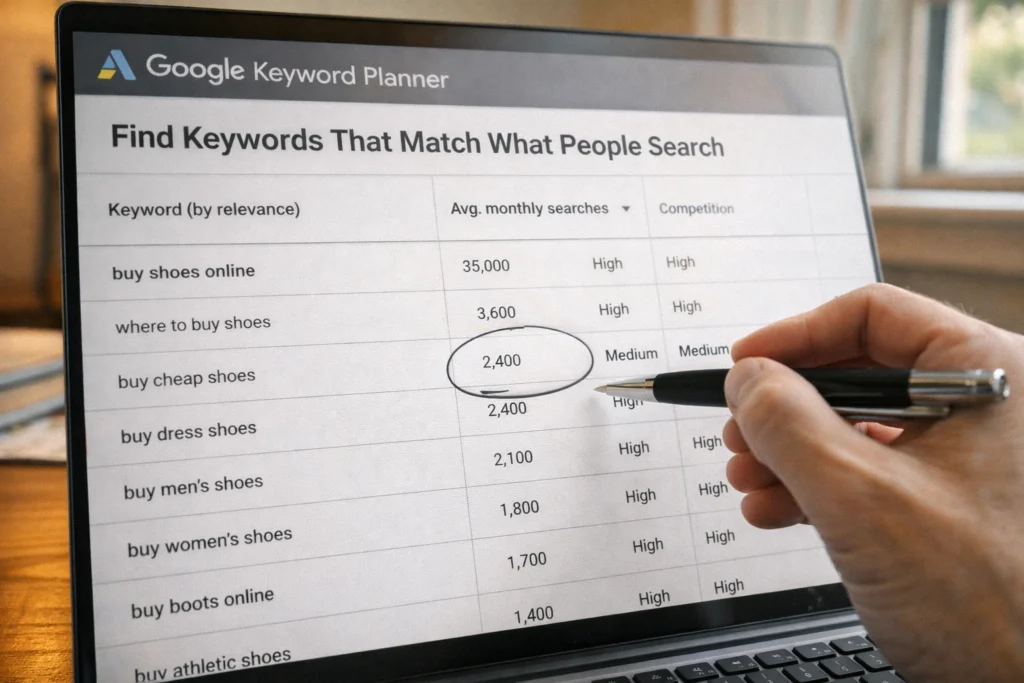
Begin with simple phrases your customers might type into search engines. These seed keywords give you a starting point. From there, expand your list using tools like Google Keyword Planner or SEMrush, which show real search queries along with their monthly volume and competition levels.
Once you have a broad list, focus on keywords that get consistent searches without heavy competition. High-volume terms can drive traffic, but they often come with higher costs per click. When you're unsure where to focus, long-tail phrases like "PPC for small business" tend to have lower competition while attracting users who are closer to buying.
If you're building your first campaign, aim for 30-50 keywords total so you have enough variety to test without spreading your budget too thin.
Group Keywords Into Tight Ad Groups
Group 10–15 similar keywords together so your ad copy can focus on one theme instead of trying to cover everything. This makes your ads more relevant to what someone just searched, which Google considers when evaluating ad quality. Over time, higher relevance improves your Quality Score, helps your ads earn better placement, and can lower your cost per click.
Build Your Negative Keyword List Early
Without negative keywords, your ads might show up for searches like "free PPC tools" or "PPC jobs" when you're selling paid services. These irrelevant clicks can eat through 20–30% of your budget before you notice.
To prevent this, build a negative keyword list during campaign setup. Negative keywords tell Google not to show your ads when searches include terms like "free" or "jobs."
Start with 20–30 obvious terms based on what you don't offer, then review your search term report weekly to catch new ones.
Writing Compelling Ad Copy That Earns Clicks
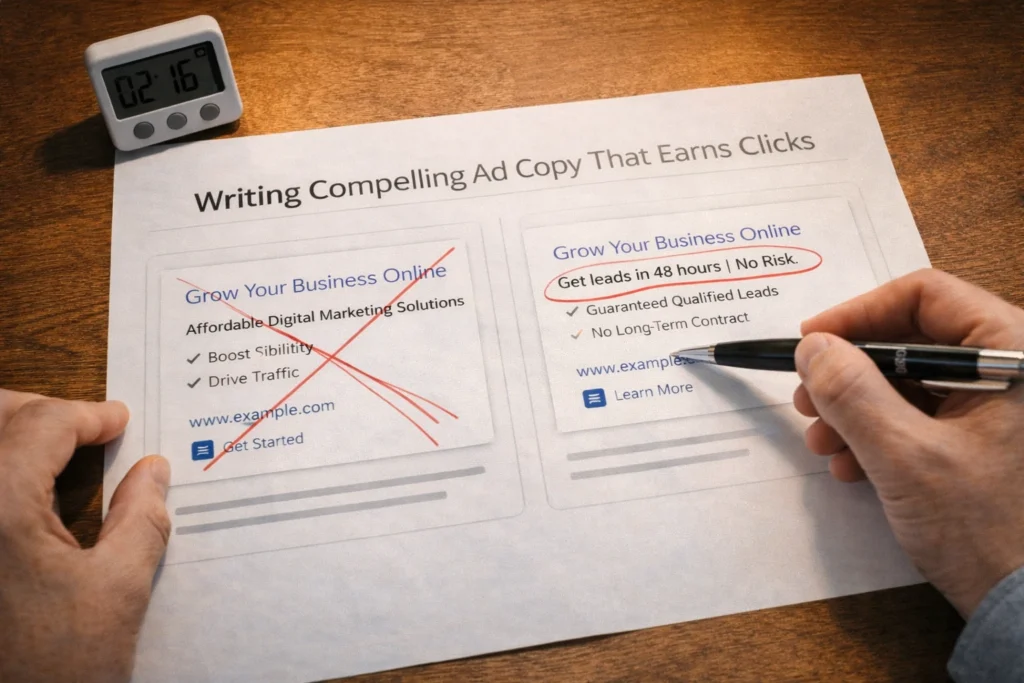
People spend an average of just 2.3 seconds looking at digital ads before scrolling past, according to a study by OMD Germany and eye square. So if you're not grabbing attention with your headline or description, you're losing the click almost instantly.
The solution is to match your headline to the keyword someone just searched, almost word for word, so they recognize the relevance immediately. Next, focus your description on a single, clear benefit the reader will get by clicking rather than listing generic features. For example, "Get leads in 48 hours" or "Free setup included" tell people exactly what they're getting, while "Comprehensive marketing solutions" says nothing.
Finally, end with a clear call-to-action like "Start Free Trial" or "Get a Quote." That way, people know exactly what happens when they click your ad.
Landing Page Design: Where Clicks Turn Into Conversions
You can have perfect keywords and compelling ad copy, but if your landing page confuses visitors or loads slowly, you'll pay for clicks that never convert. To avoid losing those conversions, focus on these five elements.
- Match Your Headline To The Ad Promise: Your landing page headline should echo what you promised in the ad so visitors know they landed in the right place. If your ad says "Affordable PPC Management," the landing page headline needs to match, not say something generic like "Welcome to Our Agency."
- Keep Forms Short: The fewer fields in a form, the better it converts. In fact, Marketo's research shows that five-field forms convert at 13.4%, while nine-field forms drop to 10%. That's why you should stick to essentials like name and email, since every additional field creates friction.
- Remove Navigation And Distractions: Landing pages shouldn't include menus or sidebars that let visitors click away from the main offer. Extra navigation often leads people to explore other pages instead of completing the form or call-to-action.
- Add Trust Signals Near The Form: Client logos or testimonials placed near the form reassure visitors at the moment they decide whether to sign up. People look for proof that others have already trusted you, especially when they haven't heard of your business before.
- Test Page Speed On Mobile: 53% of visitors leave if a page takes longer than three seconds to load, according to Google research. That's more than half of your traffic gone before they even see your offer. To avoid this, test your mobile page speed before launch and compress images or simplify the design if it loads slowly.
When these five elements work together, your landing page converts paid clicks into leads and sales instead of burning budget on visitors who leave.
Set Up Google Ads Tracking to Connect Spend With Results
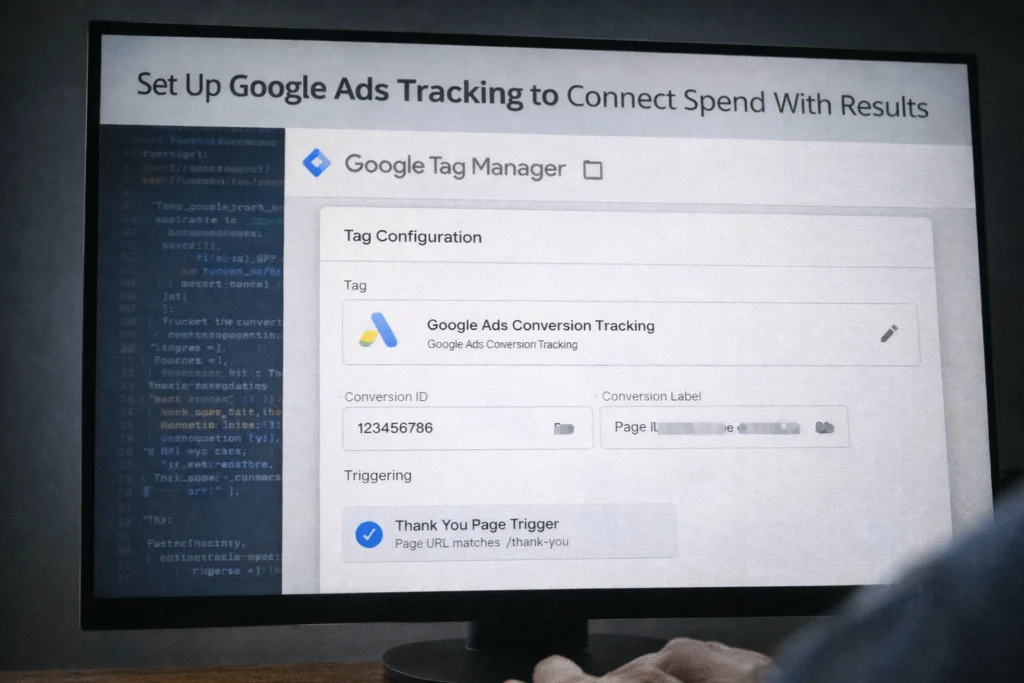
Conversion tracking tells you which keywords, ads, and audience settings actually generate leads or sales instead of just clicks. Without it, you'll know how many people clicked your ads, but not whether any of them became customers.
To track this, install conversion tracking in your Google Ads account before launching your first campaign. The tracking code sits on your website's thank-you page. When someone completes a valuable action like submitting a form, making a purchase, or calling your phone number, it fires and records the conversion.
If you're not comfortable editing website code directly, you can use Google Tag Manager instead. Go to tagmanager.google.com, create a container for your website, and install the container code once. From there, simply create a new tag, select your conversion type from the template gallery, configure which pages should trigger it, and publish.
Once your conversion tracking is running, link Google Ads to Google Analytics to see how users behave after clicking your ads. Analytics shows metrics like bounce rate and time on site, which help you spot problems like high clicks but low engagement.
Budget Control and Bidding Strategies for PPC Campaigns
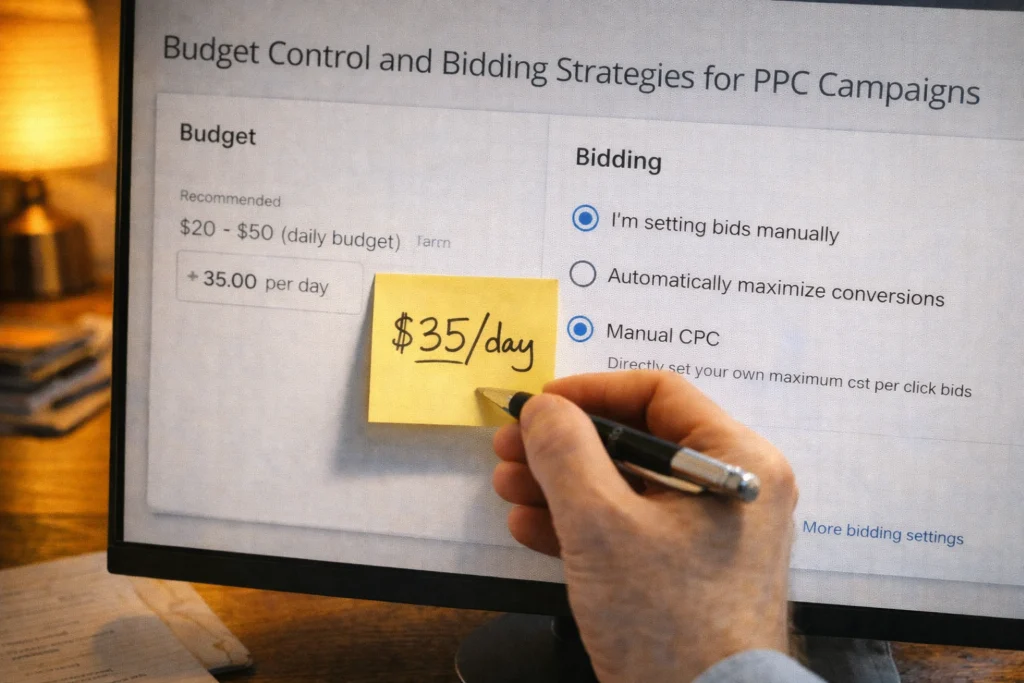
When you set the right budget and bidding strategy, you can test different keywords and ads without risking too much money upfront. It also gives you control over which keywords get more spend once you know what's converting.
Put that control into practice by setting a daily budget you can afford while testing what works, typically $20–$50 for small business campaigns. Avoid automated strategies at this stage, since automation relies on conversion data to make smart decisions. Start with manual bidding instead. This gives you control over what you pay for each click and helps you learn which keywords are worth more before letting automation take over.
After gathering enough data per keyword, adjust your bids accordingly. Increase bids on high-converting keywords and lower bids on low-performing ones, so your budget focuses on what drives results. This is what successful PPC managers do consistently to keep campaigns profitable.
Launch Your Campaign and Watch for Results
After all the setup work, launching your campaign is the easy part. What comes next is where most beginners struggle: knowing what to check, when to adjust, and when to leave things alone.
Check your impressions, clicks, and cost per click daily for the first week to spot any problems before they eat through your budget. Don't panic if you see zero conversions in the first 48 hours, since Google's algorithm needs time to learn which audiences respond best to your ads.
While you're waiting for conversions to come in, keep an eye on which search terms are triggering your ads by checking your search term report after the first week. Add any irrelevant queries to your negative keyword list to stop wasting budget on clicks that won't convert.
If you'd rather focus on running your business while someone else handles the setup and ongoing optimization, reach out to our team to see how we can help.
Comments are closed.