

Common Google Ads Challenges Small Businesses Face
Google Ads can put your business in front of local customers as soon as Google approves your ads. That speed is why many owners try paid search first.
The frustration starts when a month of ad spend disappears before a single lead calls. In most accounts we see, six Google Ads problems are behind the lost spend.
Our PPC management team at Oikos Project spots these problems across our clients' accounts. You can fix each mistake without adding more budget, and we'll show you how. But first, let's look at why paid advertising can be particularly challenging for small businesses.
Why Is Paid Advertising Harder for Small Businesses?
Paid advertising is harder for small businesses than for large companies because a modest budget leaves little room for trial and error. WordStream's Google Ads Benchmarks 2026 report puts the average search click at $5.42 across Google and Microsoft campaigns. At that price, a $30 daily limit buys about five to six clicks.
That limited click volume can also restrict how much conversion data Google Ads collects. Google's automated bidding learns who's likely to buy from past conversions, so a small budget gives the system very little to learn from.
Time is the second squeeze. Slow learning means your own check-ins carry more weight, yet many owners we talk to log in about once a month. By then, a bad keyword may have run for weeks.
Competition adds a third hurdle. Google runs an auction every time someone searches, and each advertiser bidding on that keyword competes for the same few ad spots. When a national home services chain bids on "plumber near me," a local plumber has to pay more per click to keep showing up. Your $30 daily limit then runs out sooner as click prices rise.
With click prices climbing, some companies lean on SEO to skip auction costs altogether. Organic rankings grow slowly, though, since Google has to crawl your pages, weigh how helpful each page is, and notice links from other sites.
Google's own advice on hiring an SEO puts the typical wait at four months to a year. In the meantime, you can align PPC with SEO so paid ads bring in leads while your organic traffic builds.
Tight budgets, busy schedules, and well-funded competitors are hard to change overnight. The problems below are different, since each sits inside your account and responds to changes you can make this week.

Six Common Google Ads Problems for Small Businesses
Small business accounts often share six problems: no clear goal, broad keywords, missing negatives, mismatched landing pages, low click-through rate, and no A/B testing. The first four cost you from launch day, while the last two drain your budget slowly once ads are running.
- You Can't Measure Advertising Campaigns Without a Clear Goal
How many leads did your ads bring in last month? If you can't answer, your account needs a goal before you touch bids, keywords, or budgets.
Picture a bakery that chases "more traffic" and gets 2,000 clicks. At the $2.05 average click price WordStream reports for restaurants, those clicks cost about $4,100. The owner still can't tell whether a single extra cake was sold, so next month's budget funds the same blind spending (clicks alone don't pay the rent).
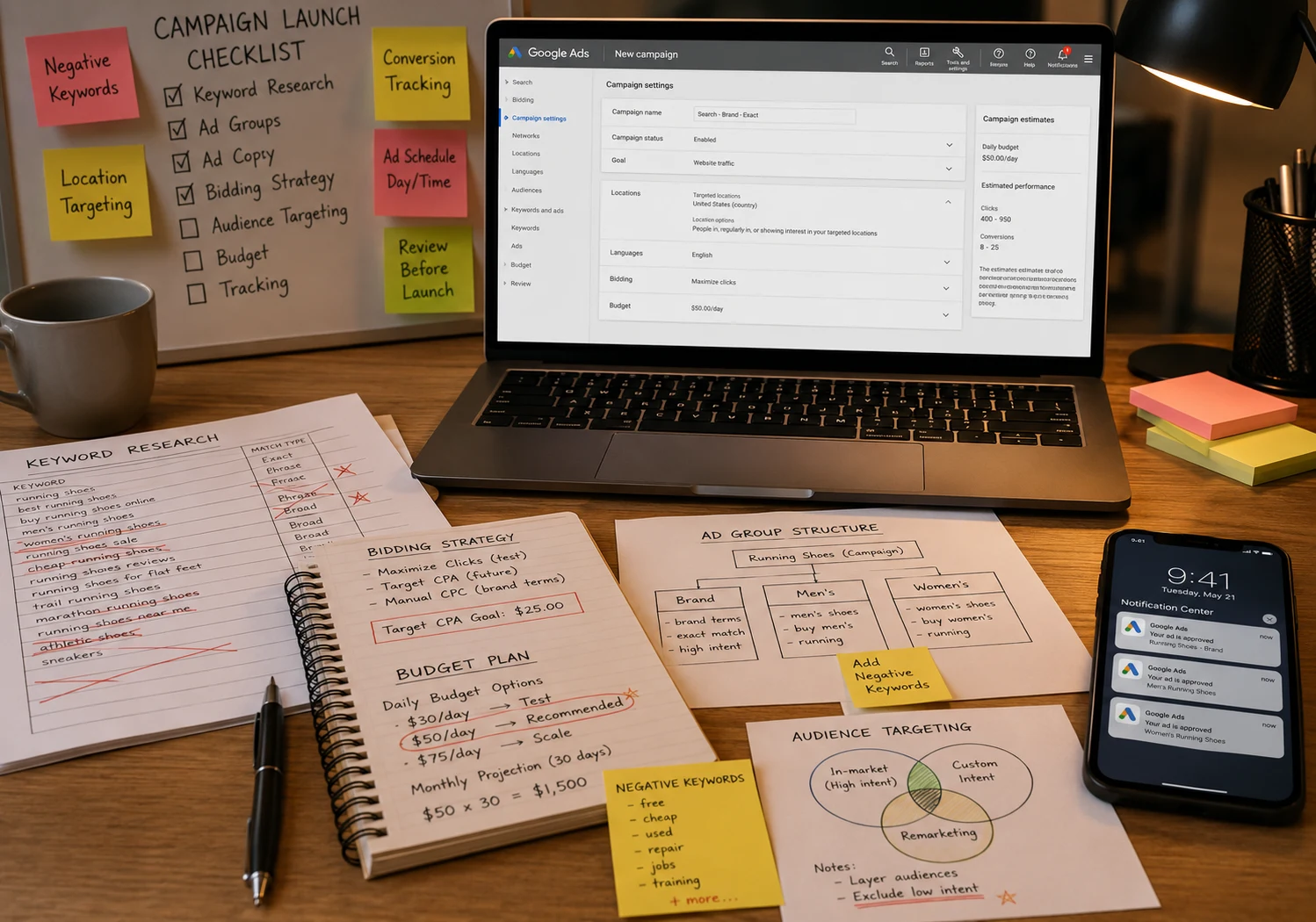
The fix starts with one number tied to your business goals, like 20 calls a month, so your advertising campaigns have a target to hit. Then set up Google Ads conversion tracking so Google links every call or sale back to the matching ad.
Our team at Oikos Project checks that your tracking records every call, form fill, and order before your campaigns go live. With tracking in place, your Google Ads reports and Google Analytics both show which ads brought in paying customers. You can then optimize campaign performance around the 20-call goal you set, since each recorded call shows its source ad and keyword.
- Broad Keywords and the Wrong Campaign Types Waste Clicks
Wide-open settings put your ads in front of people who aren't ready to buy. Three targeting choices decide whether a small budget drains away or brings in calls:
- Broad Match Attracts Browsers: If you bid on "roof repair" with broad match, Google will show your ad for searches like "how to fix a roof leak myself." You pay for each DIY visit. Instead, switch to "phrase" or "exact match" to keep your ad on searches close to your chosen words.
- Loose Campaigns Spread Budget: Display, video campaigns, and retargeting campaigns can burn through your monthly spend on users who aren't searching for you yet. Save all three ad types for later, once search campaigns bring steady calls.
- Search Ads Reach Buyers: The upside of search ads is timing, since searchers see your ad while looking for your services. Pair specific keywords like "emergency roof repair near me" with tight geo-targeting to keep your ads inside the ZIP codes you serve.
Precise keyword targeting brings fewer, better-qualified visitors. When we take over a new account, we start narrow and add broader terms once research reveals your high-performing keywords. Our guide to Google Ads campaign setup covers account structure before you go live.
- Why Negative Keywords Stop Wasted Spend
Negative keywords save money by blocking searches that will never turn into paying work. You add them to your ad campaigns, and Google stops showing your ad for any search that contains a blocked term.
Skip blocking a word like "free," and you'll pay for clicks from bargain hunters (and yes, we've cleaned up accounts with that exact leak).
A local plumber who only wants emergency calls makes a good example:
| Search Term | Block It? | Why |
| plumbing jobs near me | Yes. | Job seekers won't hire you. |
| How to fix a leaky faucet | Yes. | DIY searchers want a tutorial. |
| Emergency plumber open now | No | A ready-to-call customer |
With the first two rows blocked, the plumber's budget goes to searches like the third.
Quick Tip: Open the search terms report every week to identify fresh junk searches. Each phrase you block leaves more ad spend for people ready to hire you.

- Ad Copy That Doesn't Match Your Landing Page
Ever clicked an ad for a specific deal and landed on a homepage with no mention of the offer? Your customers feel the same letdown, and many leave before they call.
Compare two versions of one AC repair ad:
- Before: The ad promises "Same-Day AC Repair," but the link opens your site's homepage and leaves visitors digging through menus.
- After: The same ad opens a service page with "Same-Day AC Repair" as the headline, a price range, and a call button near the top.
When your ad copy and landing page share one headline, one offer, and one call to action, conversion rates tend to climb. Create one landing page per service so every ad has a matching destination.
Google's guide to improving landing page experience for Google Ads also covers load speed and mobile layout, two more areas worth fixing.
- How Click-Through Rate Affects Your Cost Per Click
A low click-through rate (CTR) weakens your ad's quality signals, and weaker signals can push your cost per click higher. CTR is the share of searchers who see your ad in the search results and click.
According to Google's guide to Google Ads Quality Score factors, your Quality Score draws on expected CTR, ad relevance, and landing page experience. Stronger quality signals help your ads win better positions in each pay-per-click auction, often at a lower cost per click.
For a quick benchmark, WordStream's Google Ads Benchmarks 2026 report puts the average search CTR at 6.64% across Google and Microsoft campaigns. If your CTR sits at 2%, you'll likely pay more per click than rivals in your industry with stronger ads. Tighter keyword groups are a simple optimization win, since each ad then matches its searches more closely.
- Why Paid Ads Need Regular A/B Testing
Regular A/B testing keeps your paid ads improving because every test shows which message wins more attention. An A/B test runs two versions of one ad side by side and changes a single detail between the two.
In the accounts we manage, a headline with a clear price, like "$49 Drain Cleaning," tends to beat a vague headline like "Affordable Plumbing Help." PPC campaigns stay on track when testing follows a three-step routine:
- Change One Element Only: If you swap the headline and description at once, you won't know which change lifted your results. Headlines make a good first test because every searcher reads the headline first.
- Wait for Enough Data: Let both versions collect clicks over the same few weeks before picking a winner. Small samples swing on luck, and an early call can bury your best ad copy.
- Shift Budget Each Month: Your strongest results come from putting money where calls and sales already happen. Move spending toward the winning ads and pause anything that runs without bringing in leads.
Each round's feedback sharpens your strategies and helps improve performance on the next test.

Google Ads vs. Bing Ads: Which Is Better for Online Advertising?
Google Ads should stay your main online advertising channel, and Bing Ads works best as a low-cost second option. Google handles most US searches and gives your ads the widest reach.
Bing's edge is price, since far fewer advertisers compete for the same keywords. The trade-off is a smaller audience (Microsoft's search network also includes partner sites like Yahoo and AOL).
Reach, price, and fit separate the two platforms:
| Google Ads | Bing Ads | |
| Search reach | Most US searches | Smaller share, plus partner sites |
| Click prices. | Higher, with more competition | Often lower, with fewer bidders |
| Best fit | Your main lead source | A test once Google runs smoothly |
We usually start clients at about 10% of their monthly spend on Bing Ads and track Bing leads the same way as Google. If the cost per lead comes in lower, you'll have another source worth growing.
Signs You Need Professional PPC Management
If you log five or more hours a week in your account while leads stay flat, the effort isn't paying off.
Rising lead costs are the second sign. A cost per lead that climbs for three months straight often points to irrelevant search terms or weak bids (each extra dollar comes out of your profit).
Both signs point to work that's grown too time-consuming to handle between customer calls. A dedicated PPC management team takes the weekly account work off your plate.
At Oikos Project, we review client accounts by hand and catch cost spikes within days. Your PPC ROI steadies, and you get to focus on customers.
Ready to Get More From Your Paid Advertising?
Start with negative keywords this week, since blocking junk searches costs nothing and cuts wasted clicks right away.
Most lost money in paid advertising traces back to setup choices and skipped check-ins. Each gap you close boosts calls and sales from the same budget.
Tackle three or four setup gaps this month, then compare your cost per lead against last month. A lower number means you're moving towards a strong ROI.
Want an expert to optimize the Google Ads? Reach out to our team at Oikos Project, and we'll review your account and show you where your ad money goes.
Comments are closed.